

Zoom Hub
Zoom Hub is a central space that organizes and manages content like whiteboards, meeting recordings, meeting summaries, and clips. It is useful for accessing, editing, and sharing files. Zoom Hub is available to all licensed Georgetown Zoom users (students, faculty, and staff) as of February 6, 2026.
When you open your Zoom app, a Hub button will automatically appear among the other product tab buttons. If you don’t see it, it may be within the More button. A Hub page will also appear in your Zoom account on the web after signing in.
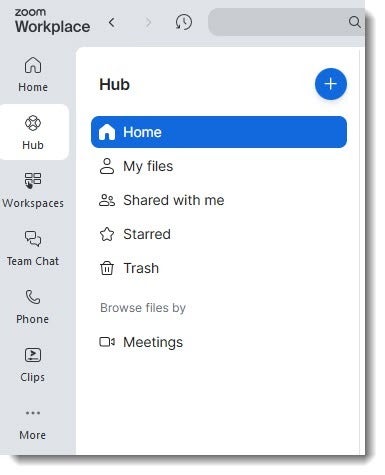
Managing Zoom Hub
In the center of your Hub page, you will see a listing of various items that you created, as well as other items that are shared with you. There is an option to display items by their associated meetings on the left side.
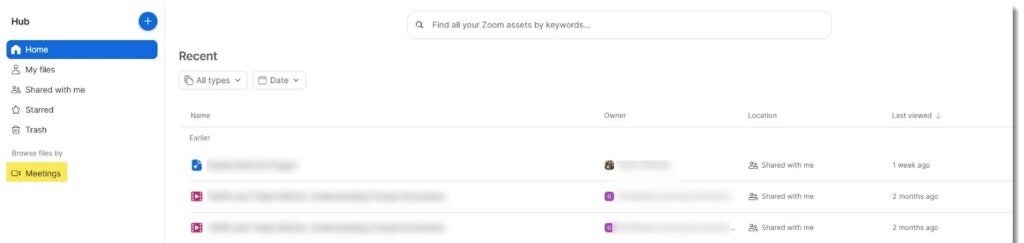
Creating Folders and Assets in Zoom Hub
To create a folder in Zoom Hub, click on the blue plus button and choose Folder. You can also create whiteboards and clips without being in a meeting. Once you create an asset, you can share it with others.
Known Issues
- When browsing files by meetings, known participants in your meetings may be able to see that assets like recordings and summaries were created but that you have not shared with them. Participants may reach out to you to ask for access, but that decision is up to you.
- Meetings where you were a participant but not the host may show items that you do not have access to. While items say you can click to request permission, this will show an error and will not work.