

Adding a Device to GUGaming
(Note: Since GUGaming is not a secure network, the data is not encrypted, so a hacker could potentially listen in on a conversation, obtain personal information, or read your email or anything you print.)
GUGaming is an additional WiFi service that allows you to register gaming systems, smart TVs, and other devices that do not allow you to enter your NetID and NetID password. GUGaming is only available in the student residence halls.
You will need to add, or register, a device with GUGaming before you can connect to the GUGaming network with that device.
- Go to the GUGaming device registration portal page
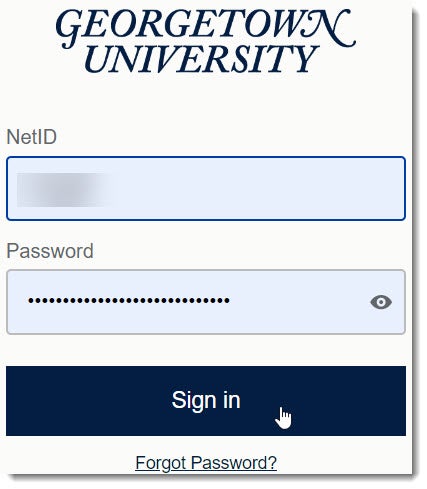
- Enter your NetID and password, and then click Sign On. (Note: Make sure you have your mobile device with you to receive a Duo notification asking you to verify your identity. You’ll verify your identity by being prompted to enter a six-digit verification code on your mobile device that will be sent to you after you log in with your NetID and password.) If you haven’t yet done so and are new to Georgetown, click here to set up Duo as part of the process of changing your temporary password.)
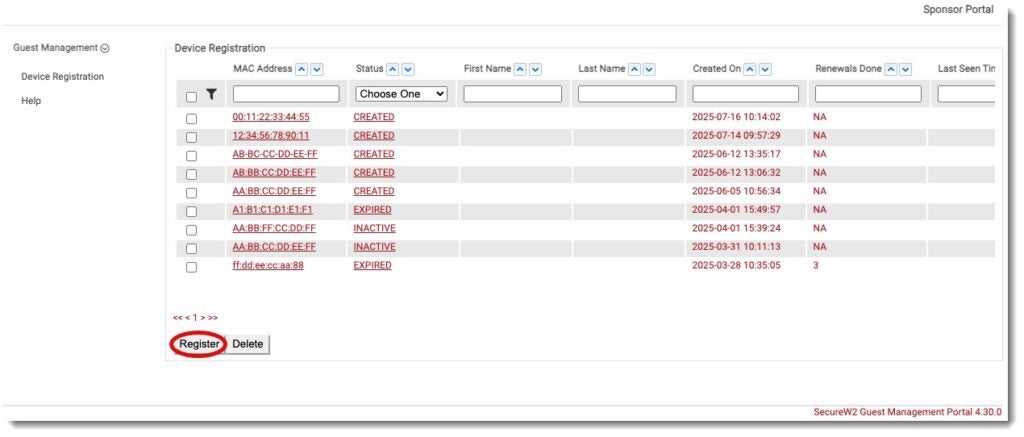
- Click “Register”.
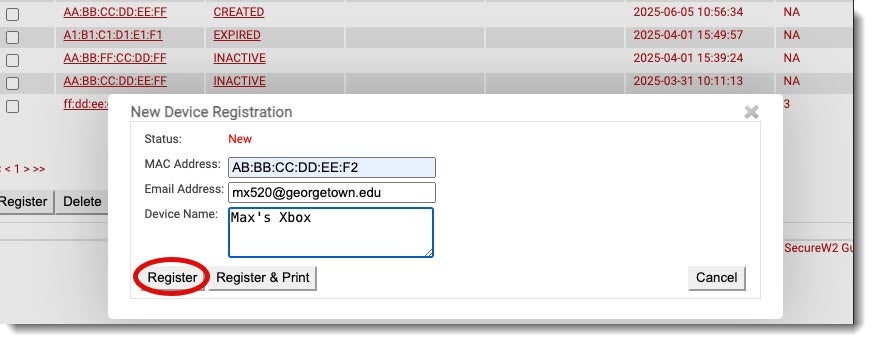
- Type in the mac address of the device you wish to join the network. It should be written in the format “XX:XX:XX:XX:XX:XX”. You must use colons not “.” or “-“ in between the values. Additionally, type in your Gmail address and a friendly name for the device (i.e. Max’s Xbox). Click “Register”.
You will now see your device at the top of the page. You can now use your device to connect to the GUGAMING network.
