

New Changes When Logging In to Microsoft Resources
Posted in Announcements UIS News & Announcements
University Information Services has made it easier for you to log in to Georgetown’s Microsoft services (like Office 365) while continuing to keep your account secure. Previously, the login process redirected you to a separate Georgetown page. Students, faculty and staff will now log in directly through the Microsoft screen.
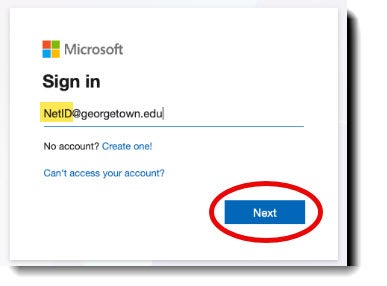
To log in, type your full Georgetown email address on the Microsoft sign-in screen, followed by your NetID password on the Georgetown-branded screen. Then, confirm your identity using your usual Duo method. You can choose to stay signed in to speed up future logins.
For more details, visit this knowledge-based article. If you encounter any issues, please contact the GU Service Center at 202-687-4949 or email help@georgetown.edu.