
How do I see all the filters I applied?
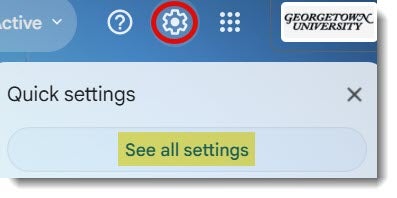
Click the gear icon in the upper right corner of your Gmail screen. Click “See All settings”.
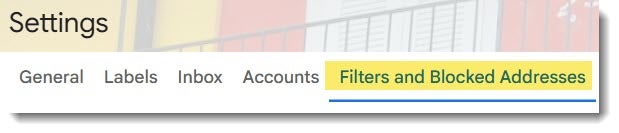
Click on “Filters and Blocked Addresses”. You will then see a list of all your applied filters.

Click the gear icon in the upper right corner of your Gmail screen. Click “See All settings”.
Click on “Filters and Blocked Addresses”. You will then see a list of all your applied filters.